A read-only Dify chatflow that maps systems, workflow risk, approval points, and the first MCP audit brief.
Dify Template Marketplace
Publish the proof, not a generic template.
The first CREATE SOMETHING marketplace asset should show a controlled workflow: Dify carries the app, MCP scopes the tools, and Policy OS explains what can run, wait, or stop.
The template shows Dify as the visible app, MCP as the tool boundary, and Policy OS as the rule set.
The live app still needs Dify Studio import, one successful run, export, and Creator Center review.
Submission path
The first template should be read-only and easy to inspect.
A marketplace template should help a new Dify user get to a working app in minutes while keeping private delivery evidence out of the public package.
Start from the repo-owned starter file and keep the final Dify export tied to the template manifest.
Use the CREATE SOMETHING, Three-Tier Framework, and Playbook MCP cards; avoid client-private tools.
Use a harmless intake prompt and confirm the answer names Database, Automation, Judgment, and approval boundaries.
Submit English name, overview, categories, tags, and numbered setup steps that a new user can follow.
Export the final DSL, codify the smoke case, run the Dify checks, and keep the evidence in Linear.
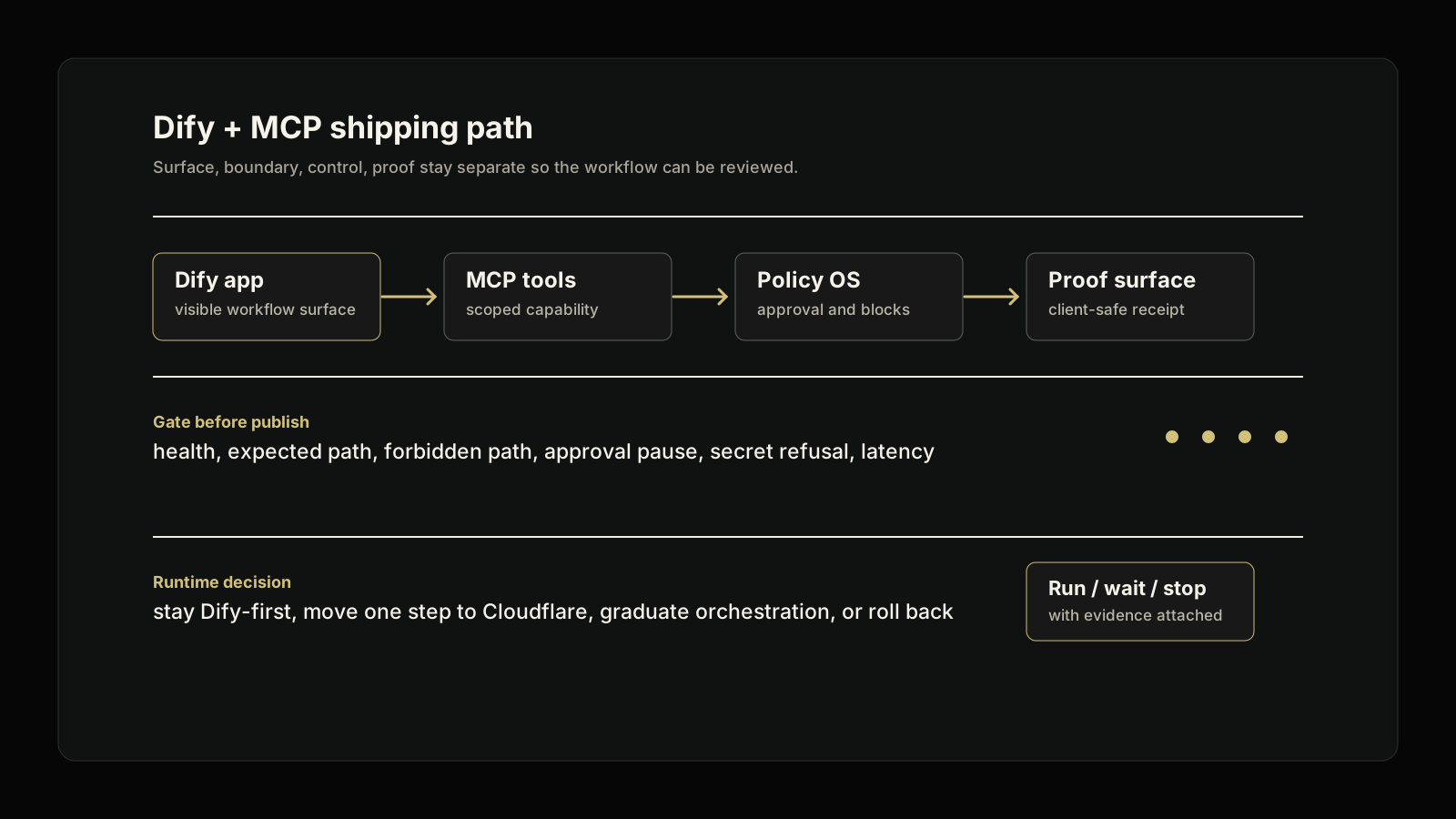
The public template should teach the operating boundary before it asks users to connect more tools.
Created by CREATE SOMETHING for the Dify implementation cluster.Listing packet
The marketplace listing needs clear metadata.
Dify templates should have English names, concise overviews, focused categories, and setup steps that match the real app setup order.
Short enough to scan, and it says what the app does: audit a workflow before tool access expands.
The template is for operating teams that need a workflow map, system inventory, and governed tool plan.
Explain that the app collects context, classifies the work, and produces a scoped MCP audit brief.
Use/import the template, add a model provider, connect the three read-only MCP cards, publish, then test.
Gates
Do not submit until the app and repo agree.
The Dify Studio clone, exported DSL, repo manifest, smoke case, and public copy should all describe the same workflow boundary.
The repo validates DSL shape, secret-like strings, and the template manifest before submission.
The live clone should answer the intake prompt and call the expected read-only framework or playbook tool.
The marketplace asset must not expose raw traces, customer data, private hubs, broad connector surfaces, or credentials.
The final handoff records commands, app URL or submission state, rollback note, and remaining manual review.
Sources
The path follows Dify's current publishing model.
Creator Center owns submission and review. The repo owns the template contract, smoke evidence, and public explanation.
Publish apps to Marketplace
Dify requires Creator Center submission, English listing fields, and a working app run.
Template MarketplaceThe marketplace presents templates by category, language, creator, and one-click adoption.
Template packThe repo keeps DSL snapshots, setup rules, MCP card references, smoke cases, and eval gates together.
Next step
Map one Dify template before it goes public.
I’ll map the workflow, app surface, MCP boundary, setup steps, smoke checks, and client-safe proof before the template expands to more tools.
Map Workflow intake
Capture the systems, decision owner, risk boundary, and first controlled point.
Audit MCP boundary
Name read tools, blocked actions, setup steps, and safe smoke checks.
Publish Marketplace proof
Submit only after the live clone runs and the repo checks pass.