Work through an example.
Short lessons and guided practice in the tools your team will use.

AI-native Technical support
Products, education and hands-on support.
Put ChatGPT and Codex to use in your team’s work.
Support from $900/month See plans ↓
01 / Learn → Build → Run

Short lessons and guided practice in the tools your team will use.
Agree the scope, then build and test a useful workflow together.
Micah is accountable for the service. Your team keeps approval authority.
02 / Workstreams within AI-native Technical support
An idea to test. A product already taking shape. Tools that need to work together. We agree the next useful change, work on it between check-ins and show you what changed. The decisions and project history stay with the work.
See three kinds of workA workstream is one agreed area of work within membership. It can involve several tasks and tools. An entire product build is not one monthly milestone.
Different jobs / The same care
These examples show the kinds of work we do. Each has its own scope, stage and next decision. The images are conceptual scenes, not client deliveries.
01 / Product development
We can begin with the idea or join partway through development.
Bring the code, the intended use and someone who knows what a useful result looks like.
Develop, test and refine it with you. Help your team use what we deliver.
An app build, the results of its checks and clear notes for the next step.
Example stage / Private betaStart with the product, the code and the next useful change. In this example, we began on the client’s own device, with setup guidance and attended remote support.
Development later moved into an environment we manage. Decisions, tests and open questions stayed with the project.
Review the next beta build and agree what comes next. Each build makes clear what has been checked and what still needs work.
An anonymized example. The agreed scope and release checks still apply.
02 / Prototypes and platforms
A prototype gives people something to try before deciding what to build next.
Starting pointA platform idea, with content and an audience in mind.
Our contributionBuild the prototype, work through it together and agree the next step from what you learn.

A prototype and its source code make the idea concrete. The client’s later development is separate from our contribution.
Our own learning platform has a product overview and an educational workshop. The workshop lets people practice approved actions in a simulation.
A first version to try. This example does not show a production launch.
A view of our own offering. It is a separate product, not a picture of the earlier client prototype.
A place to practice. Finishing the workshop does not show that a live service is connected or working.
03 / Connected operations
Connect the handoff between forms, records, tools and the people who use them.
Starting pointA form, a set of records or a workflow that needs a clearer handoff.
Our contributionMap the work, connect the tools you approve, check the inputs and show how the result was checked.
When an agent is part of the work, it acts within the access and task we agree. Your team decides what to approve.
Connections between databases and tools, read-only searches and checks that show where a person still needs to review the work or approve account access.
A form that checks submissions, a creator dashboard or a set of records ready for review. A person makes the official decision.
Illustrative example
Not a client delivery / Meeting follow-up
An agent uses permitted notes to draft actions and open questions. A person checks the source, corrects the draft and decides what to share.
Action: Revise the onboarding guide.
Owner: Missing from the notes. Confirm with the team.
Illustrative data. Nothing sent.
These delivery and test records show what was checked at the time. Connections may need fresh checks or account approval. A person still makes the final review decision.
A product we built / Draw
Put the steps, tools and people on one canvas. Mark the places where someone needs to approve the work.
Selected client work
Websites and content systems from our wider practice. These projects show delivered work; they are not evidence of client adoption of OpenAI tools.
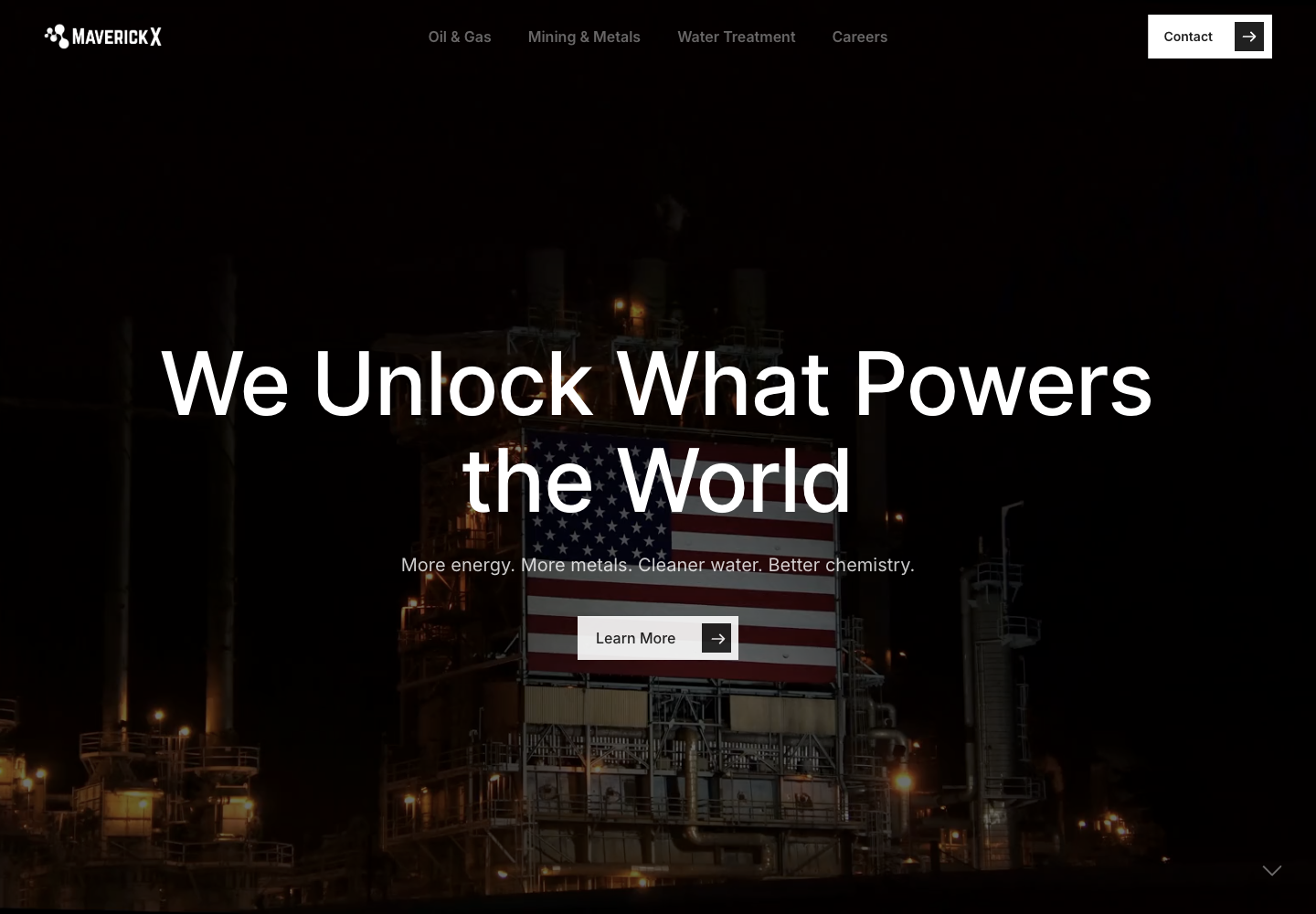
A website presenting chemistry across energy, mining and water treatment.
CREATE SOMETHING web development. The image is an existing project reference; the live website may change.
Open the full reference image ↗Visit MaverickX ↗
Research, reports and newsroom content brought together in one place.
An Insights Hub built with Webflow components. This frame comes from the existing Cato project walkthrough.
Open the full walkthrough frame ↗Explore the Cato project tour ↗A useful workflow needs a clear scope.
Here’s what support includes.
LOOK INSIDE / THE WORKING BOUNDARY
Give it the context to do the work. Set the limits before it starts. Keep the result open to review.
A useful instruction
is only the beginning.
Choose the documents, records and tools the agent can use for this workflow. Keep sources and their limits visible.
Missing access or an out-of-date source is a reason to ask, pause or mark the answer uncertain.
Instructions describe the rules. The host and connected tools enforce access: which records can be read, which actions can run, and which need approval.
Approval applies to the stated action and scope. A refusal stops that action; it does not grant a workaround.
Review the actual result against the agreed task: the changed file, the updated record or the delivered answer. Keep the checks and unresolved issues beside it.
A receipt records what happened. Correctness still needs evidence from the output and its checks.
Use provider records where available to report usage and cost. Label estimates separately, with their assumptions. Missing records remain unknown.
Agree the budget and approval point before work starts. If usage cannot be confirmed, pause for review instead of assuming there is room to continue.
A model of how we scope work. Controls and available records depend on the tools connected to your workflow.
A working system needs people who know how to use it. We make room for practice, questions and a clear handoff.
Micah Johnson currently delivers the service, with agents assisting the work. Your team keeps approval authority.
Meet MicahWe work between check-ins and show you what changed. When useful, use a remote session to get set up, work together or troubleshoot a problem.
Each milestone includes verification and a handoff. Keep the agreed code, tests, instructions and project history.
A workstream is one agreed area of work, such as improving a product or connecting a workflow. Focused supports one at a time; Team supports up to two. We agree the scope and monthly milestones before work begins.
$900/month
For progress in one agreed area of work.
$2,500/month
For up to two agreed areas of work.
One milestone means one agreed workflow map or one scoped improvement. It includes an acceptance check, verification, a handoff and one feedback and revision round.
Both plans include skills, learning resources and Slack support. A workstream can involve several tasks or tools. Monthly capacity stays within the milestones, check-ins and session allowances shown above. Remote sessions are available for onboarding, pairing or troubleshooting when useful. Resource access, session times and response times are confirmed before payment.
Build days are Monday and Wednesday. Meetings are scheduled on Tuesday and Thursday, within your plan’s allowance and the times agreed before payment.
Need ongoing live operations?
Control is a separate service, from $900/monthLarger Builds, managed Control and production incident response need separate agreements. Membership capacity covers the agreed workstreams and milestones above.
Project-specific AI development, testing and production usage, hosting and third-party services are budgeted separately. You approve the budget first.
Our everyday coding tools are our expense. More API credit does not add delivery capacity.
Micah Johnson currently delivers the service, with agents assisting the work. The dedicated member portal is in development.
We confirm resource access, session times and response times before payment.
After full payment, you own commissioned deliverables under your agreement, except reusable provider tools, which are licensed for continued use.
You keep the agreed code, tests, instructions and project history.
Cancel before your next renewal by emailing [email protected] to stop future membership charges. Support continues through your paid period while we hand over your code and documentation, document open work, and plan the transition. If you need more help afterward, we’ll agree on the scope and price before extending support.
Separately scoped projects follow their agreed terms.