How Canon
took shape.
How a little graphite robot found a felt coat, a notebook and a job at the workbench.
Start with the hop
The cube that
wouldn’t walk.
Before Canon had feet, we were already trying to explain our work in motion. In September, a hand-drawn dot traced a learning timeline. In another film, a line circled back to a mistake an agent had made before.
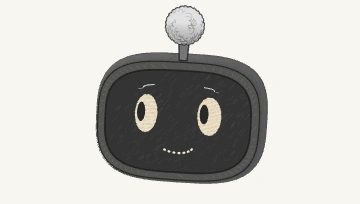
The Canon design system already had a name. Its namesake turned up in October as a little graphite cube with curious eyes and mitten hands. Micah tried to teach it to walk. The walk never felt right. Then both feet left the ground together.

Two feet together.
The original film gives the cube a whole performance in 24 seconds. Its eyes close in frustration. It turns, bends its knees and finds its hop. By the end, one mitten rests under its chin.
That movement found a place on the Agency site. A visitor could greet Canon and get a wave back. Finish an exercise at the practice workbench and Canon celebrated the receipt with a two-foot hop.
A place to work.
Later in October, Micah introduced Canon as his OpenAI Dot. Sharing a Dot raised a practical question. How would someone know which tools it could use and when it needed permission?
We tried scenes with fictional people, then gathered the agents around a slate workbench. Canon could point at a piece of work and give the viewer somewhere to look.


The pixels stayed.
The surface changed.
We kept the felt. It let us draw two things with thread. A seam could hold a work coat together, and a row of stitches could draw a smile.
The face kept its digital rhythm. Cream stitches make the oval eyes and the little smile. Around them, the head has rounded edges, visible fibers and enough depth to feel like an object on a bench.
The pocket carries a notebook. The short legs keep the silhouette grounded. An open hand makes the greeting legible before a word is read.
A hand can say a lot.
Welcome. Attention. Focus. Review. Pause. Handback.
The same small character, with a different job to do.

FocusThe eyes follow the notebook. Attention has somewhere to go.
PauseA raised palm makes room for a decision.
HandbackTwo hands offer the notebook back to the person.
Even a felt hand
needs a sleeve.
In the wide Agency hero, Canon’s paper-holding left hand looked disconnected. The correction gave it a visible forearm, sleeve and stitched cuff.
Look at the pocket in both versions. In the revision you can follow the sleeve around its edge, right down to the hand holding the paper.


Where should
Canon look?
At the workbench, Canon can point with a mitten. In the corner of a walkthrough, there’s only room for a face. A glance toward the footage has to do the pointing.
When the caption asks you to find the first frame of the pour, Canon looks across at the footage. A moment later, one eye closes in a wink. In this study, the cream stitches follow the eyelid all the way down.
 ▶ Play eye study · 5 seconds

How we tested Canon’s gaze
In a walkthrough, Canon glances up at two clips. On a phone, could you tell which one to select?
We kept the clips, head turn and timing fixed for each target. In one version, the pupils traveled farther sideways, still inside the pale stitched rim.
Reviewers could see the extra movement on a phone, but the clips sat so close together in Canon’s line of sight that the target was still hard to pick. We kept the original gaze as the default.
The rig passed 130 package tests and 45 checks of gaze and pupil dilation. The four looks test what a viewer can read. Each clip gets a turn with each gaze setting.
Which clip did Canon mean?
Watch once, then choose a clip. You can replay the look after answering.
Your responses stay in this tab. You can download a copy.
Direct the glance.
In the expression studio, hold “Look here” and watch where the pupils settle. It’s one of 100 expressions. In the captioned walkthrough, you can direct a reaction to a line of dialogue and choose how long Canon holds it.
The portrait here comes from the pencil rig. In the next version, all 100 expressions share the felt eyes. The pupils and embroidery follow the same curve as the lids close, so a wink can settle without a jump.
Open separately Expression studio ·18-second walkthrough

Back to your side
of the workbench.
In October, Canon hopped when a practice receipt was ready. Today the felt companion still appears beside that receipt. You can take a task through the workbench and meet Canon where the story began.
Visit the practice workbenchCharacter studies and workshop illustrations by CREATE SOMETHING, made with image generation using our original Canon references.
Films and design notes from the archive
Micah shared these studies as the work progressed.
September · Learning to explain with motion
- A learning timeline in Draw
- Remembering a rejected approach with CTX
- Following a request through the stack
- Following one client request in Draw Motion
- A walkthrough of the Agency handoff